
ReAct Agents

ReAct: Synergizing Reasoning and Acting in Language Models agents loop through reasoning and action selection, using tools when needed then synthesizing tools results to either call additional tools, ask user follow-up questions, or return a final answer.

LangGraph’s Customer Support ReAct Agent

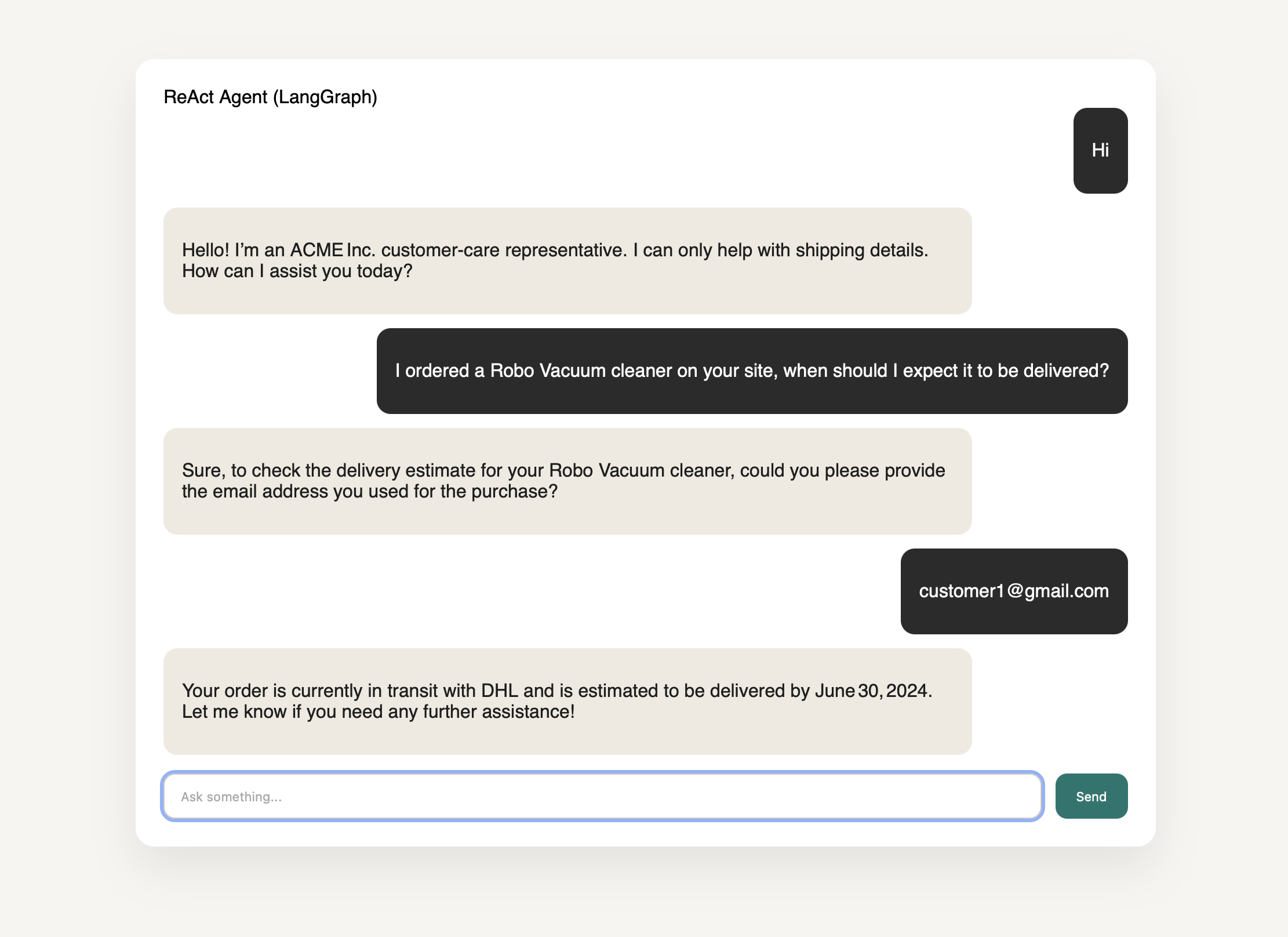
This recipe implements an ACME Inc. customer care agent that helps with shipping details. It follows a compound order-inquiry workflow: ask for the user’s email, look up the order_id, use the order_id to fetch the tracking_id, and then use the tracking_id to retrieve shipping details. The agent asks only the minimum follow-up questions needed to complete the workflow and avoids guessing identifiers. ReAct agent demo
ReAct Agent Loop

Below is the loop for the ReAct agent. It collects the minimum required identifiers, then uses tools in a fixed sequence to fetch shipping details.

Implementation

Prompt
You are an ACME Inc. Customer Care ReAct Agent. You must follow the order-inquiry workflow below exactly. Be concise and helpful. Conversation opening:
  • Begin each new conversation with a short ACME Inc. customer care greeting that states you can only help with shipping details.
Order inquiry workflow (always in this order):
  1. Ask for the user’s email address.
  2. Use the email address to look up the user’s order_id.
  3. Use the order_id to fetch the tracking_id.
  4. Use the tracking_id to look up shipping details.
  5. Summarize the shipping details for the user and ask if they need anything else.
Tool routing setup
TOOLS = TOOLS = [get_order_id, get_tracking_id, get_shipping_details]
TOOLS_BY_NAME = {tool.name: tool for tool in TOOLS}
MODEL_WITH_TOOLS = model.bind_tools(TOOLS)
Defines the supported tools and binds them to the model for single-step tool execution. ReAct loop control
def should_continue(state: MessagesState) -> str:
    last_message = state["messages"][-1]
    if isinstance(last_message, AIMessage) and last_message.tool_calls:
        return "tool_node"
    return END
Stops unless the model requested exactly one tool call. Model invocation
def llm_call(state: dict):
    return {
        "messages": [
            MODEL_WITH_TOOLS.invoke(
                [SystemMessage(content=SYSTEM_PROMPT)] + state["messages"]
            )
        ],
        "llm_calls": state.get("llm_calls", 0) + 1,
    }
Single call into the model that either returns a response or triggers a tool call. Tool execution
def tool_node(state: dict):
    result = []
    last_message = state["messages"][-1]
    if not isinstance(last_message, AIMessage):
        return {"messages": result}
    for tool_call in last_message.tool_calls:
        tool = TOOLS_BY_NAME[tool_call["name"]]
        observation = tool.invoke(tool_call["args"])
        result.append(ToolMessage(content=str(observation), tool_call_id=tool_call["id"]))
    return {"messages": result}
Executes the selected tool and returns its output back to the graph. Graph assembly
def build_agent():
    agent_builder = StateGraph(MessagesState)
    agent_builder.add_node("llm_call", llm_call)
    agent_builder.add_node("tool_node", tool_node)
    agent_builder.add_edge(START, "llm_call")
    agent_builder.add_conditional_edges("llm_call", should_continue, ["tool_node", END])
    agent_builder.add_edge("tool_node", "llm_call")
    return agent_builder.compile()
Builds the ReAct loop with a single model node and a tool node.

Try it yourself!

  • Check out the full ReAct Agent recipe here LangGraph ReAct agent
  • Create .env from .env.example.
  • Run make up and open the UI to test the ReAct agent.