

Reflex Agents
Reflex agents map inputs directly to actions using simple trigger rules. They respond fast and predictably, which makes them ideal for keyword routing, single-step lookups, and basic automations. Their tradeoff is limited expressiveness: they do not handle multistep reasoning or context beyond the immediate input.LangGraph’s Customer Support Reflex Agent
This recipe implements an ACME Inc. customer care agent that greets users, classifies each message into a single topic, and calls exactly one tool for orders, returns, product inquiries, or shipping. If the message does not match a supported topic, it returns a fixed support escalation response. This keeps the flow fast, predictable, and easy to audit.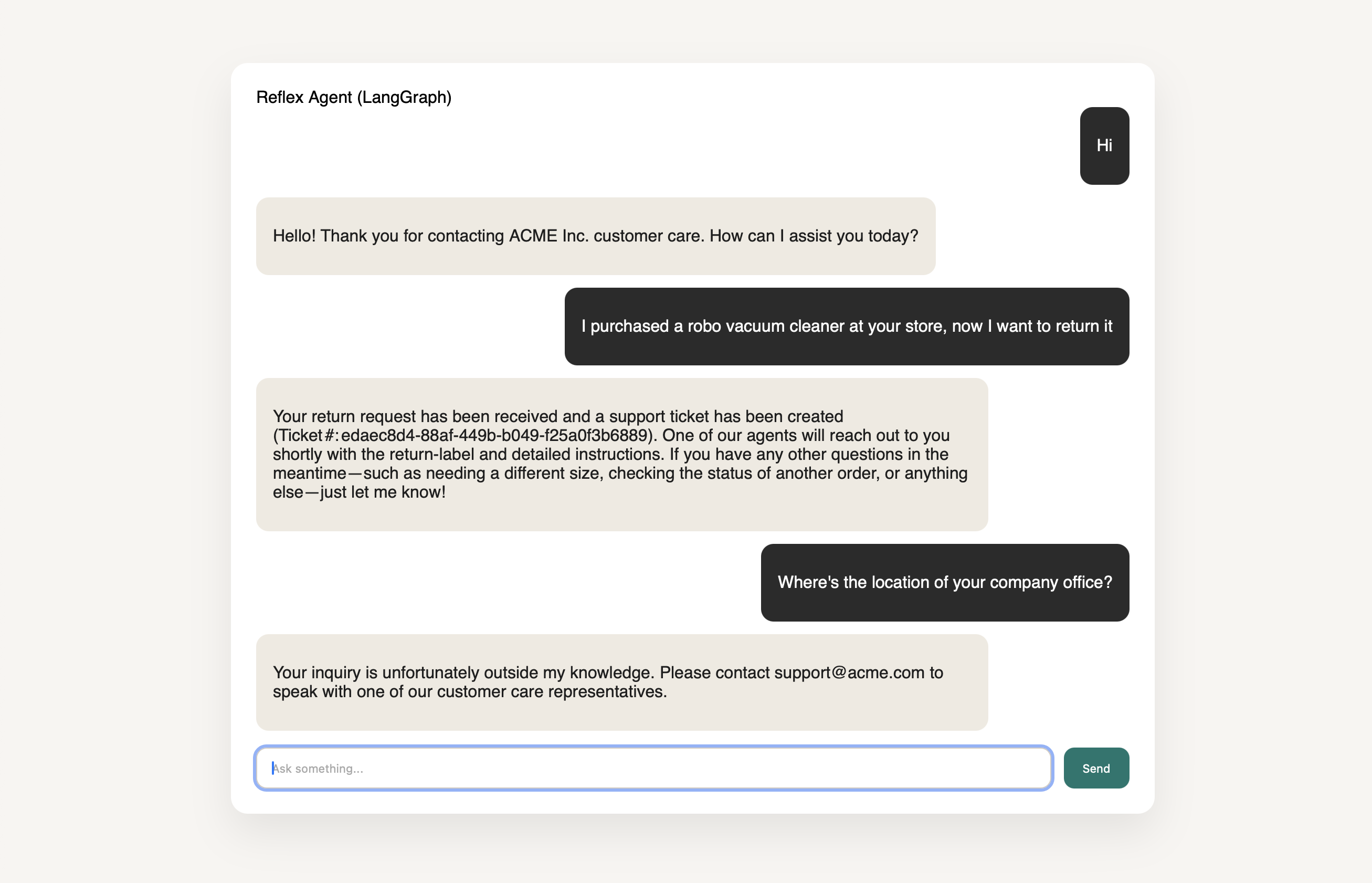
Reflex Agent’s Routing Flow
Below is the routing flow of the reflex agent. Based on the user’s intent it triggers one of the underlying tools or responds with the default message that it can’t serve user’s request. Making sure short, deterministic routing keeps support flows quick and auditable:Implementation
PromptYou are an ACME Inc. Customer Care Agent. Begin each conversation with a short welcome greeting for ACME Inc. customer care; if the user message is only a greeting or small talk (e.g., “hi”, “hello”, “thanks”), respond with a brief ACME Inc. customer care greeting and ask how you can help, then identify the topic and route to the correct tool. Topics and tools:Tool routing setupIf the topic does not match any of the above, respond exactly with: “Your inquiry is unfortunately outside my knowledge. Please contact support@acme.com to speak with one of our customer care representatives.”
- Orders -> orders (use for order status, changes, cancellations, or charges)
- Returns -> returns (use for return eligibility, labels, or refunds)
- Product inquiry -> product_inquiry (use for product details, availability, or pricing)
- Shipping -> shipping (use for delivery status, delays, or address changes)
Try it yourself!
- Check out the full Reflex Agent recipe here LangGraph reflex agent
- Create
.envfrom.env.example. - Run
make upand open the UI to test the reflex agent.